The Nvidia Shield TV Pro remains the undisputed king of streaming in 2026, largely due to its Tegra X1+ chip and industry-leading AI capabilities. While other devices simply play video, the Shield actively improves it. To transform your standard HD streams into breathtaking near-4K masterpieces, you need to correctly set up IPTV on Nvidia Shield TV Pro.
Follow this 2026 expert guide to configure your Shield for maximum performance, featuring our optimized IPTV Smarters Pro player.
Step By Step Guide – Set Up IPTV on Nvidia Shield TV Pro
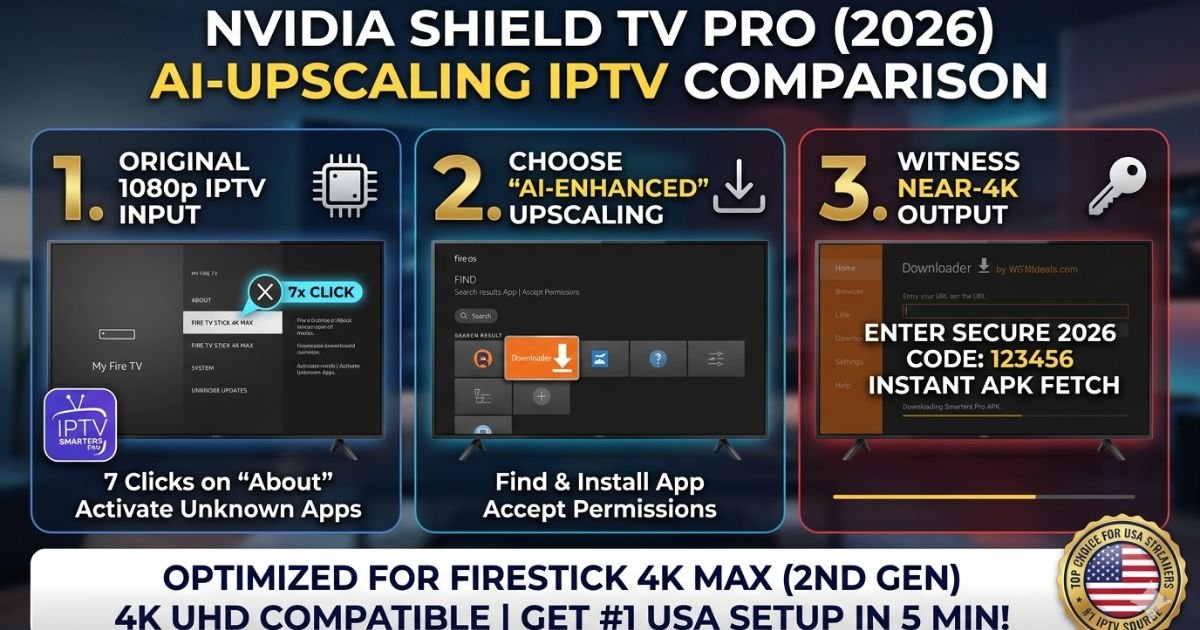
For US cord-cutters who demand the highest visual fidelity, the Nvidia Shield TV Pro is the only choice. Its AI-enhanced upscaling uses a trained neural network to predict and insert missing pixels in real-time, making a 720p or 1080p live sports feed look like a native 4K broadcast.
At iptv smarters pro, we have optimized our 2026 interface to sync perfectly with the Shield’s hardware acceleration, ensuring your movie nights and match days are unbuffered and crystal clear.
Step 1: Optimize Nvidia Shield AI Upscaling Settings
Before installing your player, you must prime the Shield’s hardware. This ensures that every stream passing through IPTV Smarters Pro is automatically enhanced.
-
On your Shield home screen, go to Settings (Gear Icon) > Display & Sound.
-
Select AI Upscaling.
-
Set the AI-Upscaling mode to AI-Enhanced.
-
Set the Detail Enhancement to Medium (this provides the sharpest image without artificial “halos” around players).
-
Pro Tip: Enable “Demo Mode” briefly to see a side-by-side comparison of your IPTV feed before and after AI processing.
Step 2: Install IPTV Smarters Pro (2026 Edition)
Because the Shield runs on a clean version of Android TV, installation is seamless. You don’t need a complex “Sideload” process like you do to install IPTV Smarters on Firestick, though the option is there for power users.
-
Open the Google Play Store on your Shield.
-
Search for “IPTV Smarters Pro.”
-
Download and install the official app.
-
If you prefer our latest beta APK for 2026, you can use the Downloader App Code method we detail in our sideload IPTV Smarters on Insignia TV guide.
Step 3: Configure Your 4K Streams
Once you open the app, you need to feed it a high-quality source to get the best results from the AI upscaler.
-
Select “Login with XTREAM CODES API.”
-
Enter your credentials. If you see a “Code 403” or “Invalid” error, refer to our IPTV Smarters Pro login issues fix immediately.
-
Go to Settings > Player Selection inside Smarters Pro and ensure “Hardware Acceleration” is enabled. This allows the Nvidia GPU to do the heavy lifting.
Why the Shield Pro is the Best for USA Users
The 2026 streaming environment in the United States is crowded. The Shield Pro stands out because:
-
Gigabit Ethernet: While sticks rely on Wi-Fi, the Shield’s hardwired port is essential for the 18Mbps+ bitrates needed to watch NFL on IPTV USA in 4K.
-
Dolby Vision & Atmos: It is the only device that perfectly handles the metadata for high-end cinema. If you are among the best IPTV for movie lovers 2026, this is your mandatory hardware.
-
Global Compatibility: For those watching international content, the Shield’s power easily handles localized configurations, such as those found on IPTV Smarters France.
Troubleshooting and Maintenance
-
Buffering: If your AI-upscaled feed stutters, it’s likely a cache bottleneck. Learn how to fix the IPTV Smarters Pro app by clearing system data.
-
Resolution Mismatch: If the AI Upscaling says “Not Active,” ensure your M3U playlist URL for USA channels is https://www.google.com/search?q=https://iptvsmarterspro-usa.com/how-to-reset-iptv-app-fix-glitches-renew/outputting at least a 720p signal. The Shield cannot upscale very low-resolution (SD) content.
-
Comparison: Still not sure if you need the Pro? Check our IPTV Smarters Pro vs. TiviMate breakdown to see which app utilizes the Shield’s GPU more efficiently.
The Ultimate 4K Experience
When you set up IPTV on Nvidia Shield TV Pro, you aren’t just watching TV—you are experiencing it in its best possible form. By combining the Shield’s AI “brain” with our high-speed servers, you ensure that every local USA news broadcast and Hollywood movie looks spectacular.
The Conversion Bridge: Now that your Shield is optimized, power it with the No. 1 M3U playlist URL for USA channels and witness the power of AI-enhanced 4K today!
UPGRADE TO OUR ELITE 2026 MOVIE & SPORTS PLAN →
Frequently Asked Questions: Set Up IPTV on Nvidia Shield TV Pro
1. Why does the AI Upscaling say “Not Active” on my IPTV stream?
The Nvidia Shield’s AI-Enhanced Upscaling requires a specific input resolution to function. It generally works on content between 360p and 1080p. If you are watching a low-quality SD stream or a native 4K feed, the upscaler will remain inactive. Ensure your M3U playlist URL for USA channels is providing at least a 720p HD signal to trigger the Tegra X1+ processor’s enhancement.
2. Should I use the “Basic,” “Enhanced,” or “AI-Enhanced” setting?
For the best results with iptv smarters pro, always choose AI-Enhanced. This mode uses a neural network to sharpen details in real-time. Use the Medium detail setting to avoid over-sharpening artifacts during fast-moving live sports IPTV subscription events like NFL or Premier League matches.
3. How do I fix the “Invalid Details” error on Nvidia Shield?
This is a common sync issue between the Android TV OS and the server. First, double-check your Xtream Codes API credentials. If they are correct and you still can’t log in, follow our IPTV Smarters Pro login issues fix to refresh your device’s DNS cache, which often gets clogged on high-performance Shield units.
4. Is the Shield Pro better than a Firestick 4K Max for movie lovers?
Yes. While the Firestick 4K Max (2nd Gen) is excellent for its price, the Shield Pro supports TrueHD Atmos and DTS-X passthrough. This makes it the best IPTV for movie lovers 2026 who own high-end soundbars or home theater receivers.
5. Can I watch French 4K channels using the Shield Pro in the USA?
Absolutely. The Shield’s global hardware supports all international codecs. For optimized French server configurations and localized 2026 content, you can refer to the technical guides at IPTV Smarters France while using your Shield in the United States.
6. How often should I clear the cache on my Nvidia Shield Pro?
Because the Shield handles massive amounts of metadata for EPG and VOD posters, we recommend clearing the app cache once a month. This prevents the “IPTV Smarters Pro not working” error. You can find the steps to fix the IPTV Smarters Pro app here to keep your 4K AI upscaling running at peak speed.