IPTV Smarters not updating is a common hurdle that can disrupt your entertainment, but with the high-performance infrastructure of IPTV Smarters Pro, resolving these synchronization issues is straightforward. Whether you are missing the latest 4K movie releases or your Electronic Program Guide (EPG) is showing “No Information,” ensuring your app communicates correctly with the servers is essential for a premium viewing experience.
Why Updates Matter for Digital TV
In the modern era of digital streaming, content moves fast. New movies are added daily, live sports schedules shift by the hour, and channel lineups are constantly expanding. IPTV Smarters Pro serves as your ultimate gateway to this massive digital library, offering access to over 35,000 channels and 95,000 VOD titles. However, the app is only as good as the data it has synced. If your interface is stuck on old data, you aren’t getting the full value of your high-definition subscription.
The Technical Side of IPTV Synchronization
When we talk about IPTV Smarters not updating, we are usually referring to the app’s inability to pull the latest M3U or Xtream Codes API data from the host server. This “handshake” process is vital. IPTV Smarters Pro is engineered for high performance, but external factors like cache buildup, ISP throttling, or incorrect internal settings can block these updates. Understanding how to manage these updates ensures you never miss a breaking news segment or a live PPV event in crystal-clear 4K resolution.
How to Fix IPTV Smarters Pro Not Updating (Tutorial Insights)
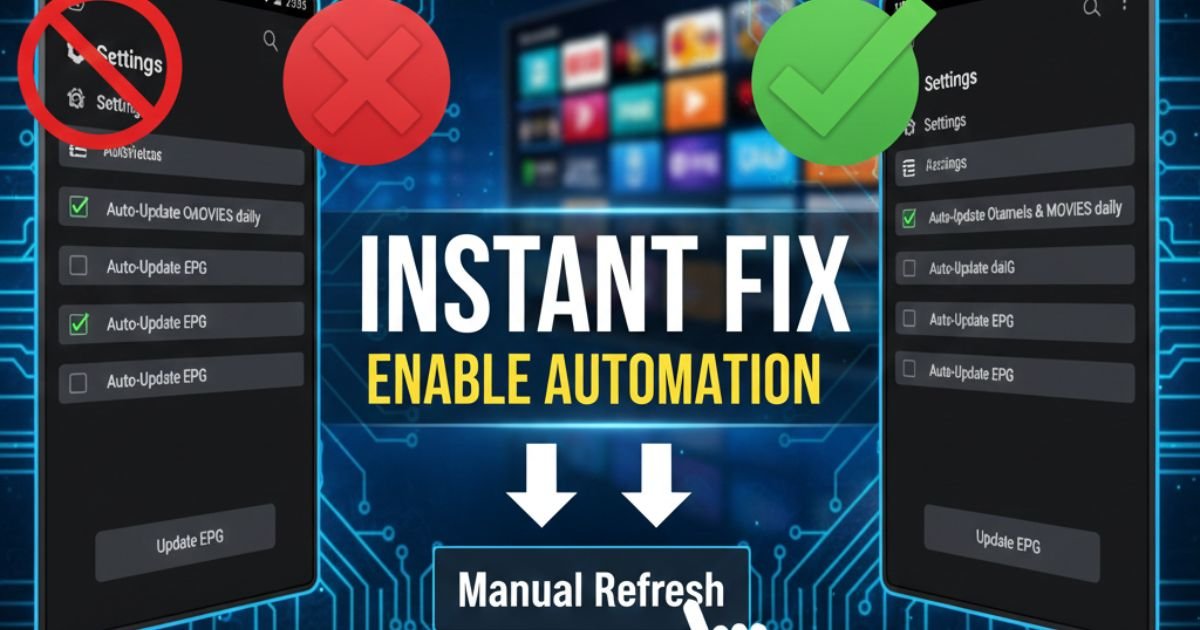
Based on technical best practices for the Smarters interface, there are specific steps you can take to force the app to refresh its database.
1. Enable Automation Settings (The Most Effective Fix)
The most frequent cause of content stagnation is disabled automation. If the app isn’t told to look for updates, it will simply display the data it downloaded the last time you logged in.
-
Navigate to Settings: Open the app and click the gear icon in the top right corner.
-
Access Automation: Scroll down to the Automation menu.
-
Check Update Options: Ensure you tick the boxes for “Auto-Update Channels & MOVIES daily”.
-
Sync the EPG: Check the box for “Auto-Update EPG” and set the frequency to every 1 or 2 days.
-
Save Changes: Do not forget to hit “Save” to commit these settings to the app’s memory.
2. Manual EPG and Content Refresh
Sometimes the automatic trigger might fail due to a momentary network dip. In this case, a manual force-refresh is required.
-
Go back to the main dashboard of your IPTV Smarters Pro app.
-
Click on the “Update EPG” button prominently displayed.
-
Press the Update button to fetch the latest TV schedules directly from the server.
-
For missing VOD or series, go into the specific category and look for the “Refresh” or “Update” icon at the top of the screen.
Troubleshooting Persistent Updating Errors
If the basic settings don’t resolve the “not updating” issue, you may need to look at the deeper environment of your streaming device.
Network and ISP Constraints
Even though IPTV Smarters Pro is built to be stable, a weak Wi-Fi signal or an unstable internet connection can cause the update download to “time out.” Since the app needs to download metadata for tens of thousands of channels, it requires a solid bit-rate.
-
Pro Tip: If you are using a Firestick or Android Box, try using an Ethernet adapter for a wired connection to ensure the update packets are fully received.
Dealing with Cache Corruption
Over time, the temporary files (cache) stored by the app can become cluttered or corrupted, preventing new data from being written.
-
Go to your device settings (Android Settings > Apps).
-
Select IPTV Smarters Pro.
-
Select Clear Cache.
-
Note: Only select “Clear Data” if you have your login credentials (Username/Password/URL) handy, as this will reset the app to factory settings.
Why a Premium Subscription Prevents Update Failures
Often, “not updating” issues are the result of poor server quality from the provider’s end. This is why choosing a high-quality service like IPTV Smarters Pro USA is critical.
-
High Performance Servers: Our servers are engineered for 99.9% uptime, meaning the data is always there when your app asks for it.
-
Daily Content Refresh: We add new movies and series daily, which are instantly pushed to your app.
-
Support for All Devices: Whether you use a Smart TV, Firestick, iOS, or Android, our platform ensures cross-device compatibility for updates.
Choose the Right Plan for You:
-
BASIC PACK: Perfect for standard users with over 25,000 channels.
-
GOLDEN PACK: For the ultimate enthusiast—55,000+ channels and 95,000+ VODs in 4K/UHD.
-
VIP PACK: Adapted for families, allowing 2 connections so you can update and watch on two devices at once.
Frequently Asked Questions (FAQ)
Q1: Why are my IPTV Smarters Pro channels missing after an update?
Ans: This usually occurs if the “Automation” setting is off or your provider changed the server URL. Force a manual refresh by clicking “Update EPG” and “Update Playlist” on the dashboard.
Q2: Does “Clear Data” delete my subscription?
Ans: No, but it logs you out. Clearing data removes your login details and favorites from the app, so you must re-enter your username, password, and URL to sync again.
Q3: How often should I update my EPG guide?
Ans: For the best experience, set your EPG to update daily. This ensures you have the most accurate schedules for live sports and new movie releases without manual effort.
Q4: Can a VPN fix “IPTV Smarters not updating” errors?
Ans: Yes, if your ISP is throttling your connection to IPTV servers. A VPN can bypass these blocks, allowing the app to download the latest playlist data successfully.
Q5: What is the difference between the Free and Pro versions regarding updates?
Ans: The Pro version typically offers faster loading for large libraries and superior automation features, ensuring your 35,000+ channels stay synced without constant manual intervention.
Elevate Your Entertainment
Fixing the IPTV Smarters not updating issue is the final step in unlocking a world of endless entertainment. By following the automation steps and ensuring your IPTV Smarters Pro subscription is active and correctly configured, you can sit back and enjoy the best in 4K, UHD, and FHD content.
Don’t let outdated playlists ruin your game night. Keep your app updated, your connection strong, and your content fresh. For those still experiencing issues, our 24/7 expert technical support is always available to ensure your streaming remains uninterrupted.