Getting your favorite live TV channels and movies on your Google TV has never been easier. As the industry leader, IPTV Smarters Pro provides a seamless streaming experience; however, to install IPTV Smarters Pro on Google TV successfully, you need to follow a specific method since the app is often not directly available on the Google Play Store in all regions.
In this comprehensive IPTV Smarters Pro Google TV tutorial, we will walk you through the IPTV Smarters Pro install guide step-by-step, ensuring you can enjoy high-quality streaming in minutes.
How to Install IPTV Smarters Pro on Google TV: Step-by-Step
To install IPTV Smarters Pro on Google TV, we will use the “sideloading” method. This is the most reliable way to get the IPTV Smarters Pro APK for Google TV.
Step 1: Enable Developer Mode
Before you can sideload Google TV apps, you must unlock developer options:
-
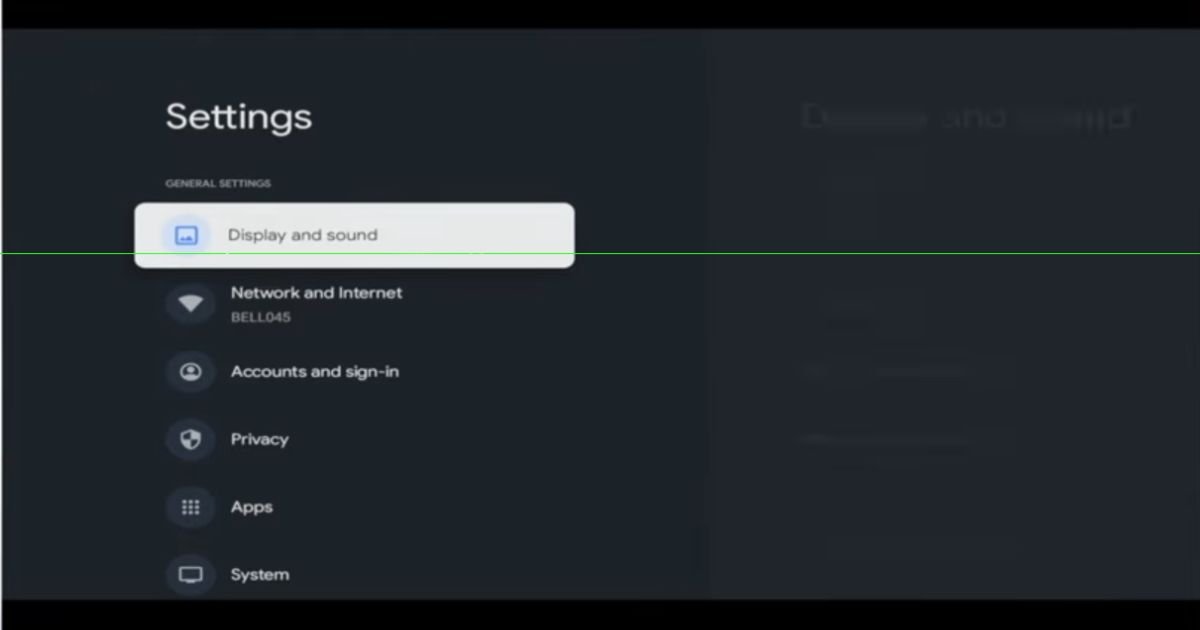
Navigate to Settings on your Google TV.
-
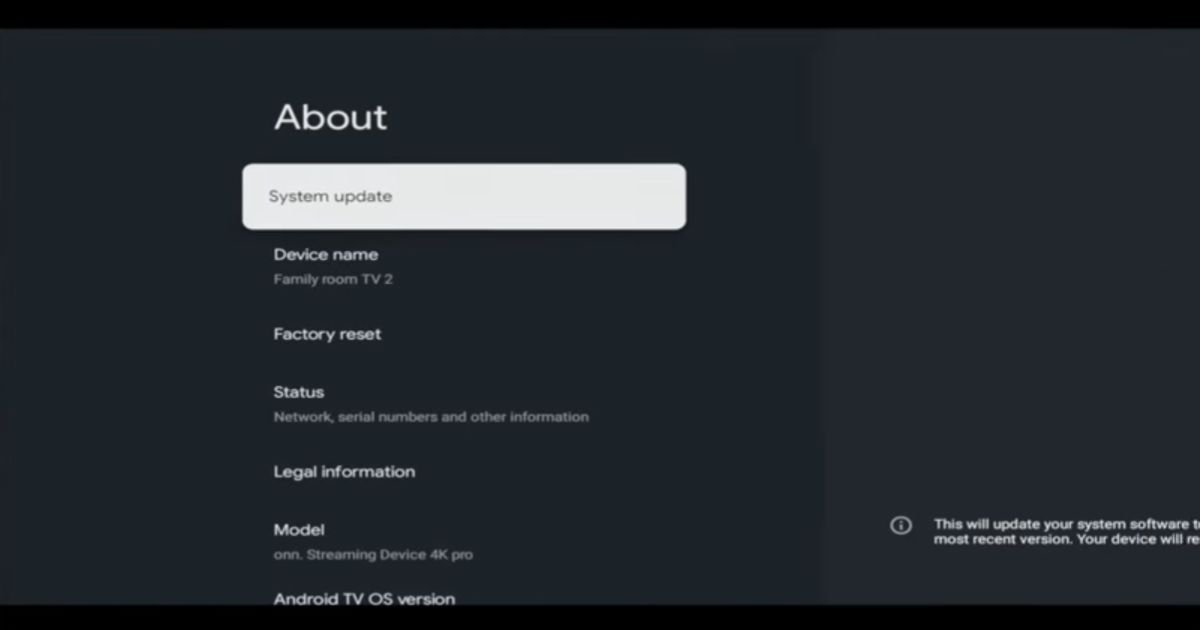
Select System > About.
-
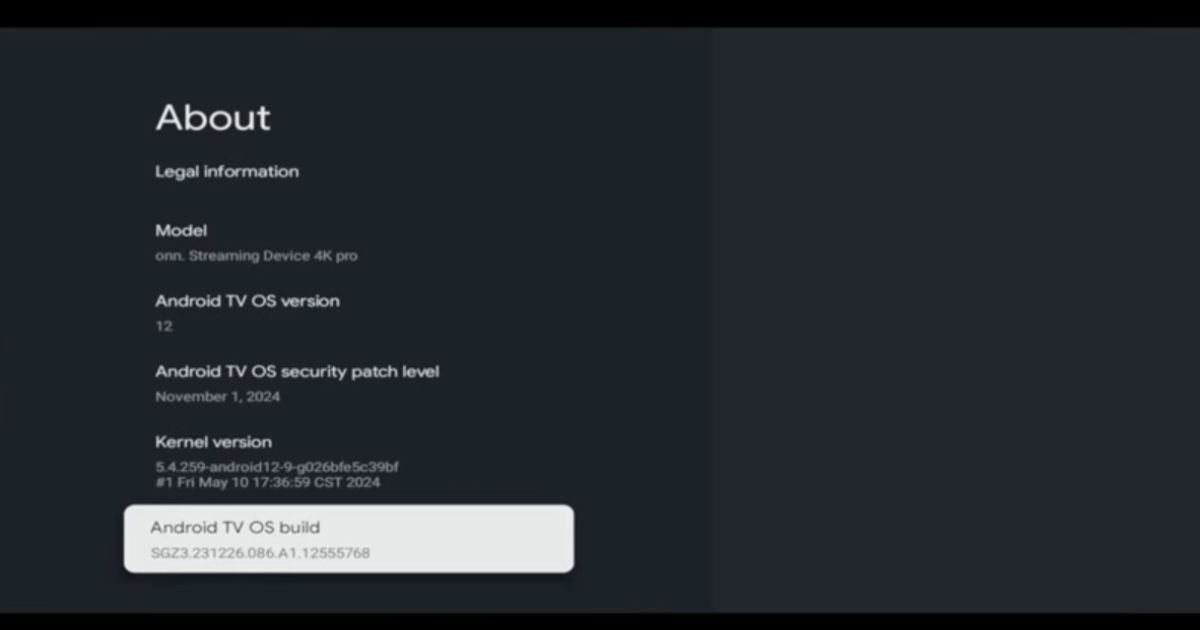
Scroll down to Android TV OS Build.
-
Click this option 7 times until a notification says, “You are now a developer”.
Step 2: Install the Downloader App
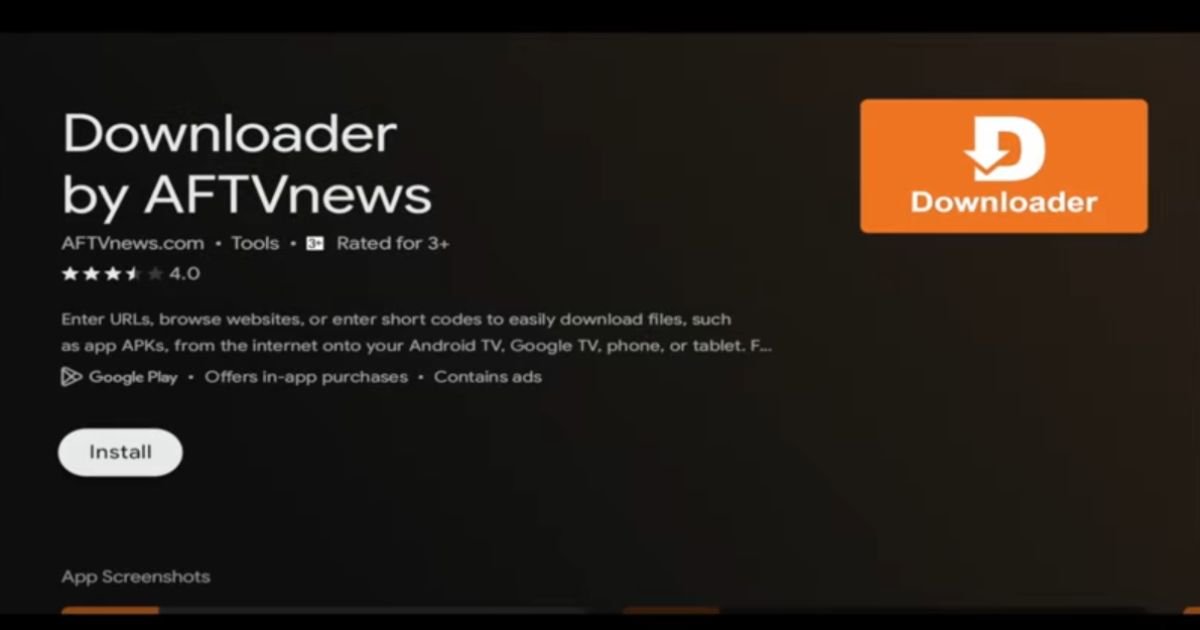
Since you need to download IPTV Smarters Pro Android TV files from the web, you need a tool called “Downloader”:
-
Go to the Apps tab on your home screen.
-
Search for “Downloader” and click Install.
-
Important: Before opening Downloader, go back to Settings > Privacy > Security & Restrictions > Unknown Sources and toggle “On” for the Downloader app.
Step 3: Download the IPTV Smarters Pro APK
Now it is time for the actual IPTV Smarters Pro Google TV setup:
-
Open the Downloader app.
-
In the URL field, type:
iptvsmarterspro-usa.com. -
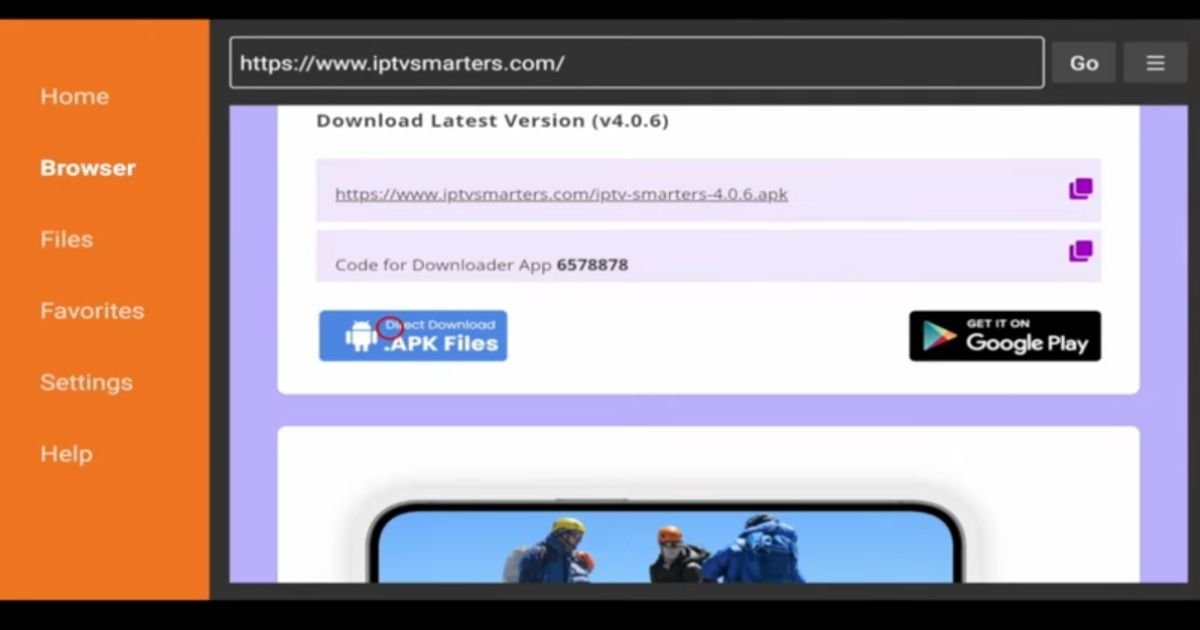
Scroll down on the official site and click the link for the IPTV Smarters Pro APK download US version.
-
Once the download finishes, click Install.
-
After the IPTV Smarters Pro Google TV step by step installation is done, click “Done” and delete the APK file to save storage space.
Note: If you are using a different device, check our previous guides on how to install IPTV Smarters Pro on Firestick or our IPTV Smarters Pro Android TV installation steps.
Setting Up Your Playlist
Once you launch the app, follow this IPTV Smarters Pro login guide Android TV to start watching:
-
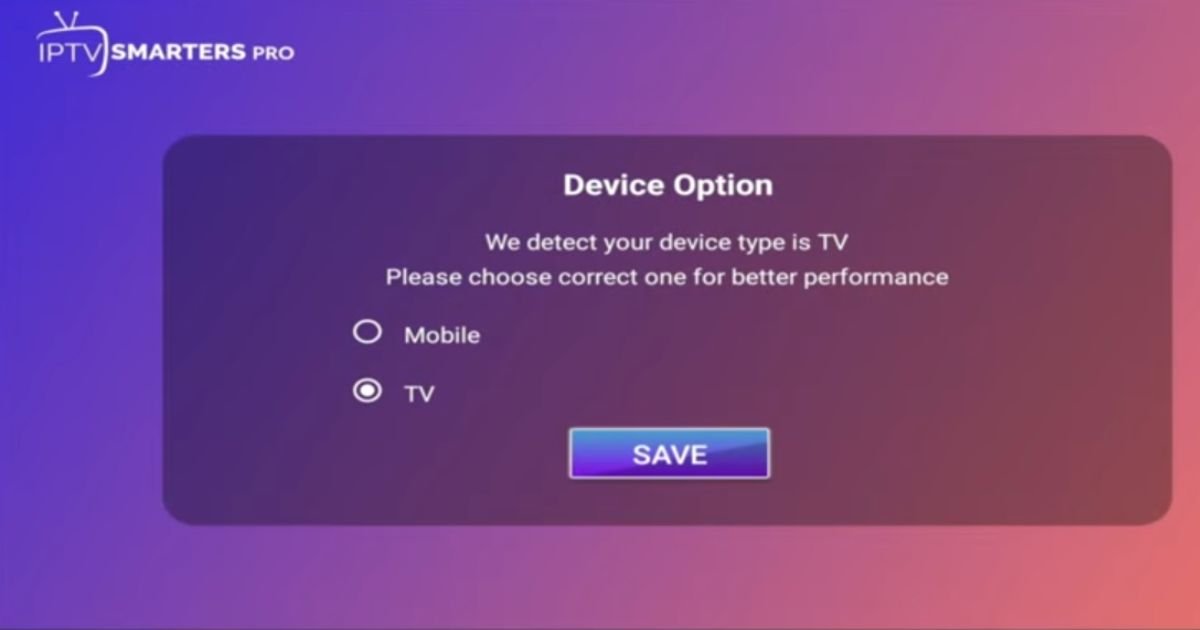
Select Device Type: Choose “TV”.
-
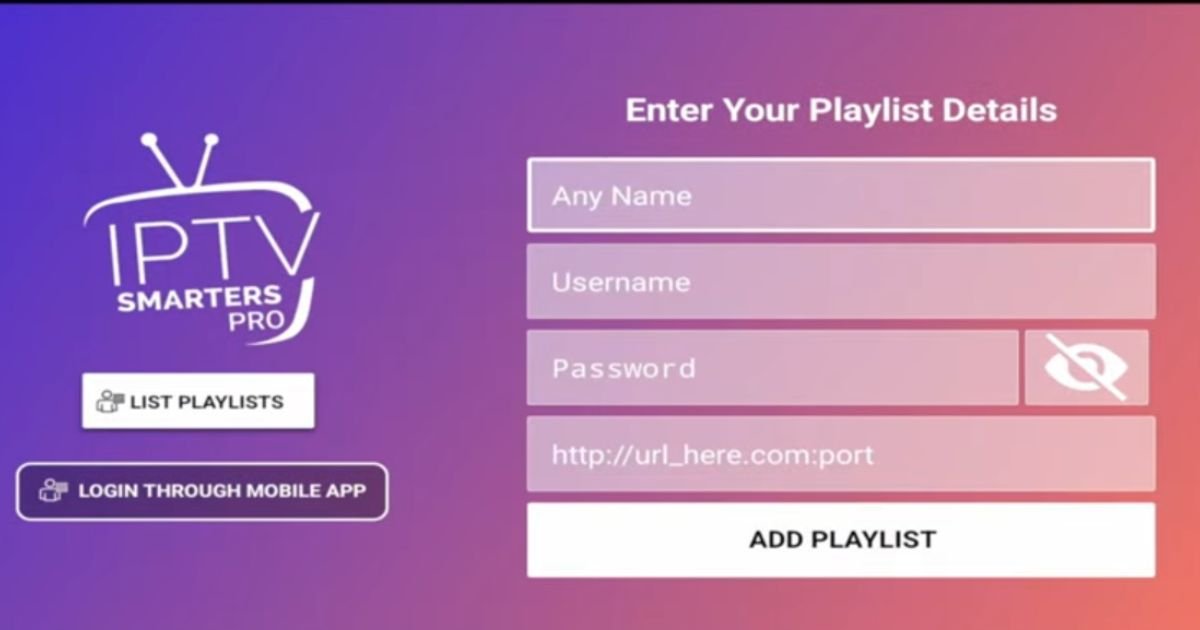
IPTV Smarters Pro Xtream Codes on Google TV: This is the most popular method. Simply enter the username, password, and Server URL provided by your provider.
-
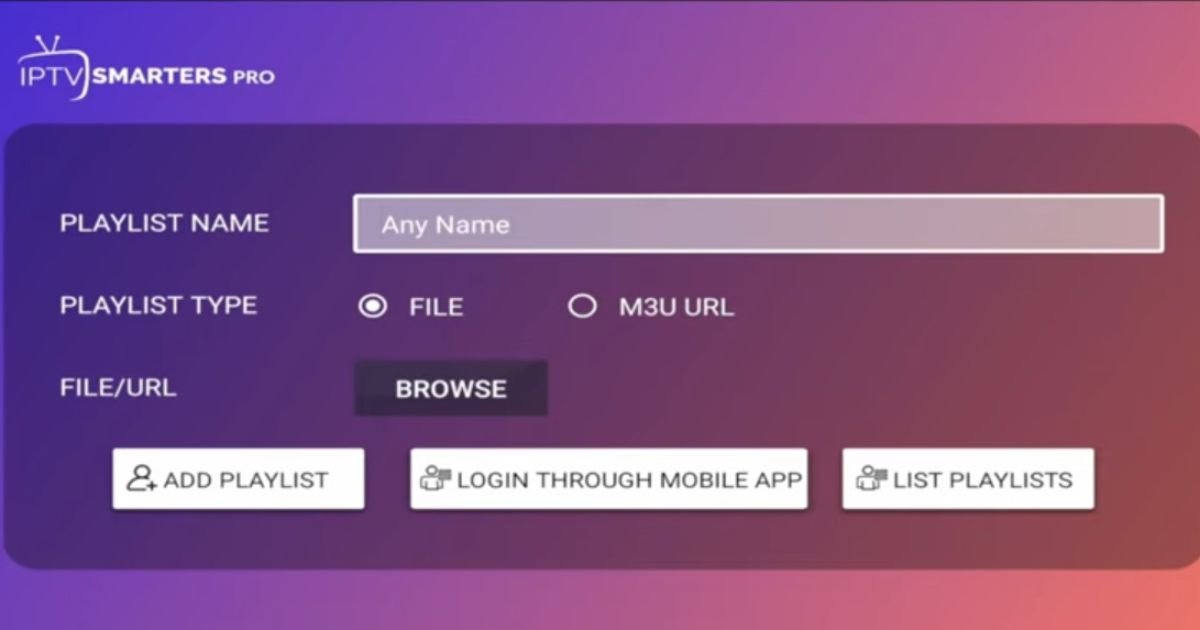
IPTV Smarters Pro add playlist Google TV: Alternatively, you can use an M3U URL to load your channels.
Why Use IPTV Smarters Pro on Google TV?
IPTV Smarters Pro (also known as iptv smarters) is widely considered one of the best IPTV apps for Google TV due to its user-friendly interface and support for EPG. Whether you are using a built-in Google TV or an IPTV Smarters Pro Google Chromecast installation, the performance is fluid and professional.
Troubleshooting & Tips
-
IPTV Smarters Pro not on Play Store Google TV: Don’t worry; the sideloading method mentioned above is the standard fix.
-
IPTV Smarters Pro perceived errors installing: Ensure “Unknown Sources” is enabled in settings.
-
Buffering: Use a high-speed internet connection for streaming IPTV Smarters Pro on Google TV.
-
Privacy: It is highly recommended to use a VPN when using third-party apps to protect your data.
Conclusion
This IPTV Smarters Pro beginner install Google TV guide ensures you don’t miss out on your favorite content. From the IPTV Smarters Pro APK for Google TV download to the final Google TV IPTV setup guide steps, you are now ready to stream like a pro.
For more Google TV IPTV Smarters Pro tips, explore our blog or contact IPTV Smarters Pro support for subscription details!
FAQ’s
1. What devices can I use to run IPTV Smarters Pro?
IPTV Smarters Pro is highly versatile and works on almost any smart device. You can use it on Google TV, Android TV boxes, Firestick, smartphones (Android/iOS), Windows PCs, Macs, and even directly on Samsung or LG Smart TVs. Essentially, if your device has an app store or allows sideloading, you can enjoy the iptv smarters experience.
2. Is it possible to set up IPTV on a Google Chromecast?
Yes, absolutely! If you have a newer Google Chromecast with Google TV, the process is identical to our guide above. For older Chromecast models without a remote, you can simply install the app on your phone and use the “Cast” feature to send your stream directly to the big screen.
3. Does Google TV come with built-in IPTV support?
Google TV does not include a “built-in” IPTV service out of the box. However, it is designed as an open platform that makes it very easy to install IPTV player on Google TV. By using a professional player like IPTV Smarters Pro, you turn your Google TV into a powerful streaming hub for all your live channels and playlists.
4. What is the easiest way to get IPTV Smarters Pro on my television?
The simplest way is to download it through the official Google Play Store if it’s available in your region. If not, the best alternative is using the Downloader app to sideload the IPTV Smarters Pro APK download US version. Just follow the IPTV Smarters Pro Google TV step by step guide we’ve provided above to get it up and running in under five minutes.